
How do I lock the buttons on my device?
A thermostat’s keypad is “unlocked” by default. This means that the buttons (or keypad) are
“functional” and that the thermostat can be controlled manually, from the device. It is possible to lock the thermostat buttons to prevent any unintentional changes to the setpoint.
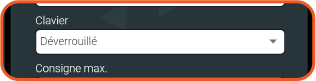
You can lock the buttons on your device by selecting this option in the device settings within Neviweb.
Locking Options
The buttons can be locked with different options (full lock or limited lock, the latter only allows changing the setpoint and prevents configuration and device disconnection).
(Pro Tip) This feature is especially useful for short-term rentals and families with young children to avoid any accidental handling.