
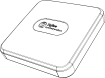

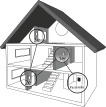
Start the connectivity session of your compatible Zigbee gateway by referring to its installation guide.
Connect your smart plug to your network by pressing the ON/OFF button for a few seconds.
The connection status indicator:
Flashing green: the plug is connected
Lights up green for 5 seconds: connected
Note: If the smart plug fails to join the gateway network after 20 seconds, reset it and try again.
Connect all your compatible Zigbee devices in the same way, by going to the nearest device.
When all your devices are connected, close the connectivity session of your compatible Zigbee gateway.
See the detailed steps for adding the smart plug to your gateway